Circled for iPhone
The hour before, handled.
An appointment goes wrong in the hour before it, not on the day you booked it. Circled tells you when to leave, what to bring, and who else needs to know.
Circled is not on the App Store yet. It is being finished, and it launches in the UK first.
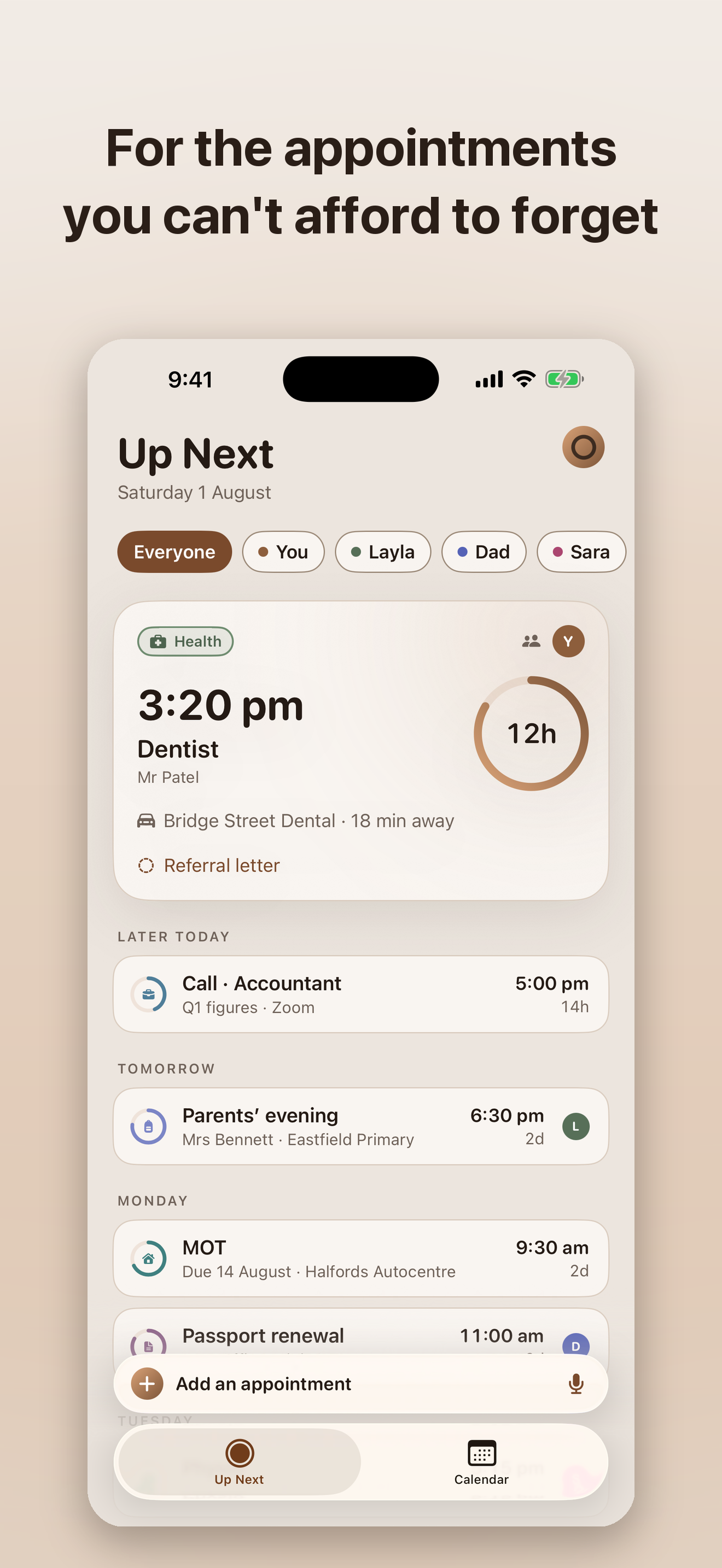
Calendars own the when. Circled owns the hour before and the follow-up after.
Adding one
You see what it read, before anything is saved.
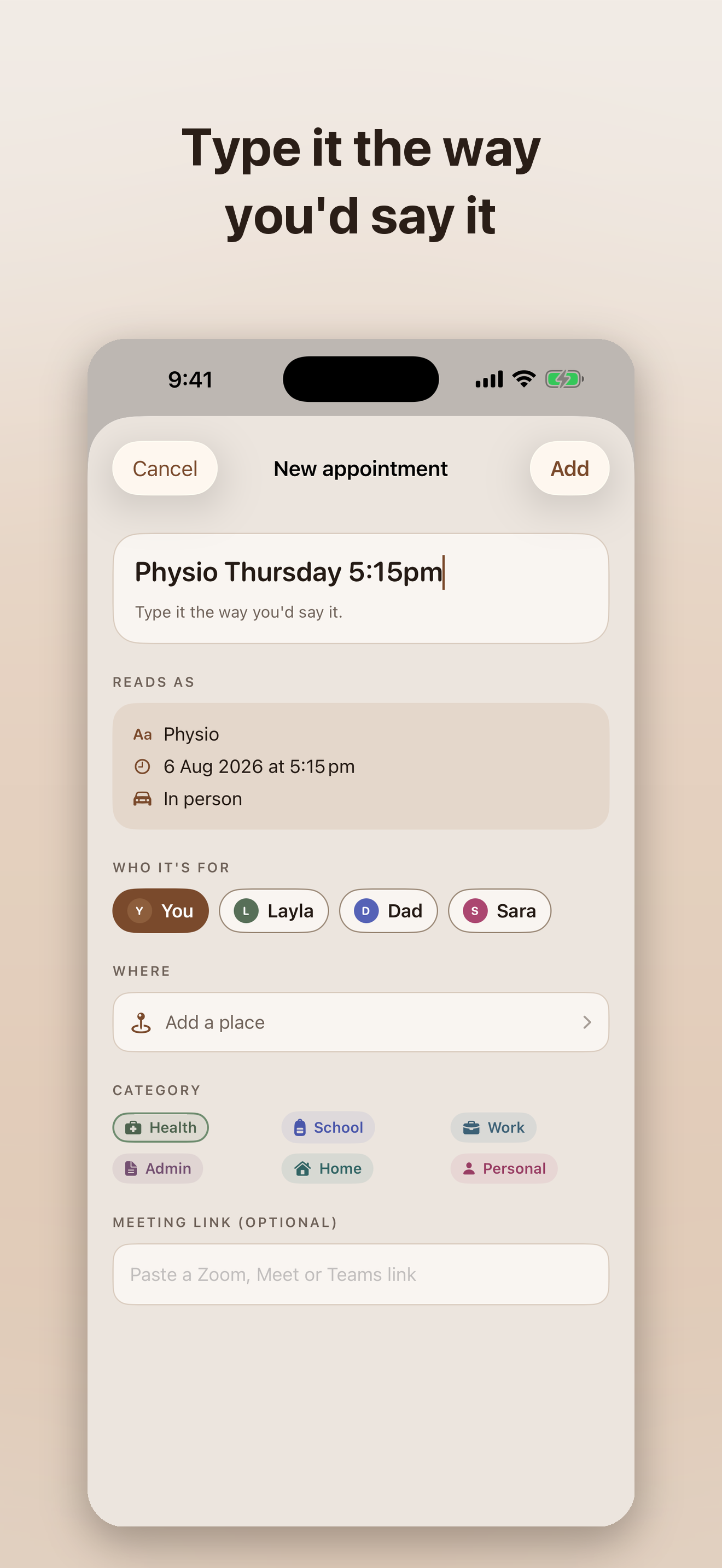
Type “Dentist Tuesday 3pm” and you get a whole appointment: the title, the time, whether it is in person or a call, and which part of your life it belongs to.
Circled shows you its reading first, in as many words. If it has taken Tuesday to mean next Tuesday and you meant this one, you find that out now rather than at ten past three. Say it out loud instead and the transcription happens on your iPhone.
At a glance
A ring that closes.
A countdown on the Lock Screen and in the Dynamic Island, scaled to the kind of thing it is. A passport renewal creeps up over weeks. A work call does not. Both get a ring that is full when you book it and empty at the moment it matters, so the same glance tells you the truth about either.
The Home Screen and Lock Screen widgets say the same thing in the same shape, and none of it is paid for.
Getting there
The buffer is counted separately from the journey.
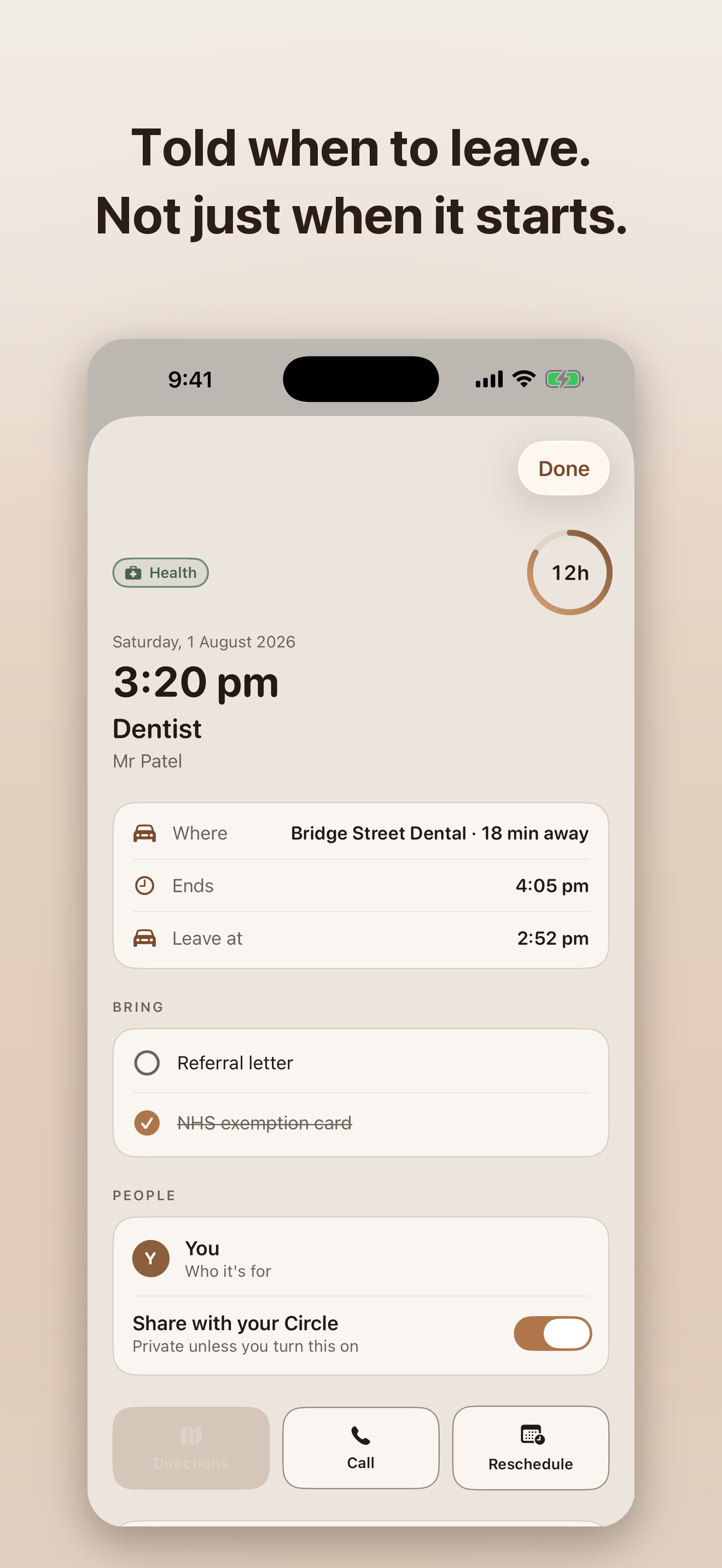
Pick a place and the departure time is worked out against live traffic. The arrive-early quarter of an hour that clinics and visa centres ask for is held apart from the driving, because they are two different quantities and adding them together hides both.
Where the journey is not known, Circled says so rather than inventing a number. Your location is used to do this arithmetic and nothing else, and it never leaves your iPhone.
Together
Your Circle.
Share what is coming with the people you live with, so nobody double-books the car or misses the parents’ evening. You choose what the Circle sees: a new appointment goes to it unless you say otherwise, and there is one switch that says otherwise for all of them.
New ones go to the Circle
That is the starting position, because a household diary nobody shares is just a diary. One switch in Settings turns it round for everything you add afterwards.
Every appointment has its own switch
Share this one, keep that one to yourself. Mark something private and it stays out of the shared area entirely, so nobody in your Circle can read it.
Joining is free
Being invited into a Circle costs nothing, always. Only creating one is paid.
Also in the app.
What to bring
A short list per appointment, so the referral letter is in your bag instead of on the kitchen table.
In person or on a call
Join links that open the right app, and the other party’s local time sitting next to yours, so a call across time zones stops being arithmetic.
Rebook reminders
The six month check-up resurfaces six months later, with the number ready to tap.
A calendar copy, if you want one
Circled can write a copy of an appointment into a calendar of its own in Apple Calendar. It writes only into that calendar and never reads your other ones back.
Nine themes
Every one of them free, with an app icon that follows whichever you pick.
Your data, out again
Export everything you have, whenever you like. Appointments live in your own iCloud, not on a server of ours.
What it costs
One thing is paid for. Everything else is free, forever.
Free, forever
No trial, no account, no advertisements.
- Appointments, alerts and reminders
- The Live Activity and the Dynamic Island countdown
- Home Screen and Lock Screen widgets
- Departure times worked out against live traffic
- What to bring, join links and rebook reminders
- All nine themes and the matching app icon
- The calendar copy and the full export
- Joining somebody else’s Circle
Reminders are not paywalled and never will be. Paying to be reminded is the thing this app exists not to be.
Circled+
Adds one thing: creating a Circle for up to six people.
- a month£3.99
- a year£24.99
- once£34.99
Prices are in pounds and Circled launches in the UK. Joining a Circle somebody else has made is free, so only one person in a household ever needs this.
There is no server of ours.
Your appointments live in your own iCloud. Nothing is collected, and nothing is sold. Your location is used only to work out how long a journey will take, and it never leaves your iPhone.
The long version is on the privacy page.
For the appointments you can’t afford to forget.
Circled is coming to the App Store. There is nothing to download yet, and no list to join, so there is nothing here to click.
If you have a question in the meantime, the support page has an address that reaches a person.